
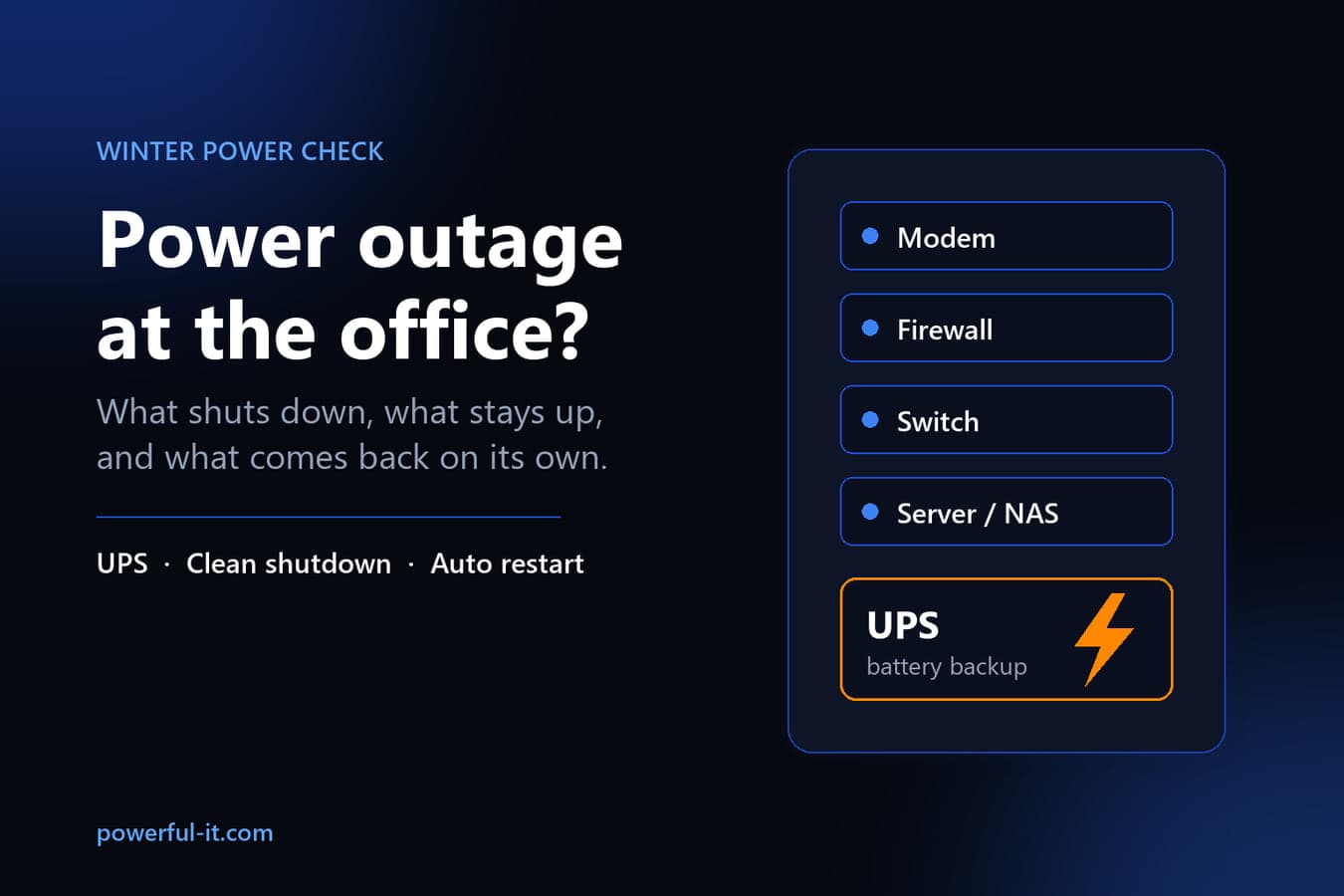
First, which equipment is on battery backup. Second, whether your server or file storage box shuts itself down cleanly before that battery runs out. Third, whether everything turns back on by itself when the power returns, or someone has to drive in on icy roads to push buttons.
Wisconsin gives every office a chance to find out. ReadyWisconsin, the state's emergency management program, says the state averages 3 to 5 winter storms a season and a significant ice storm every 4 or 5 years, and that ice can snap power lines. The average first snowstorm arrives around November 10. That leaves a few weeks to run the checks below while it's still a calm October afternoon.
What actually happens to your IT when the lights go out
Desktop PCs go dark instantly, along with any unsaved work. Laptops keep running on their own batteries, but that doesn't help much if the modem, firewall, network switch and Wi-Fi access points went down with the lights. A laptop with no internet can't reach Microsoft 365, your line-of-business app in the cloud, or the file server down the hall.
Desk phones are the same story. If they get power from a network switch and that switch isn't on battery, the phones go down too. Ready.gov's outage guidance tells people to find out in advance whether their phone will work in an outage and how long its battery backup lasts. That advice applies to an office phone system just as much as a home landline.
The equipment that worries us most is the server or NAS (the storage box that holds shared files and often backups). If it's on a UPS (uninterruptible power supply, the battery unit under the desk or in the closet), it keeps running until the battery empties. Then it loses power just as hard as everything else, unless something tells it to shut down first. Synology's documentation describes its UPS feature as a way to prevent data loss by giving the NAS time to save data and unmount its volumes before power is lost. Without that signal, the battery only delays the hard shutdown.
A UPS buys minutes, not hours
A UPS in a small office has two jobs. It rides through the flickers and short drops that would otherwise reboot everything, and it keeps the core equipment up long enough to shut down cleanly during a real outage. It is not a generator. Expect minutes of runtime, and plan around that.
Batteries also wear out quietly. UPS maker APC says most of its batteries should last three to five years. Heat shortens that a lot: APC's rule of thumb is that every 8°C (15°F) above the 20 to 25°C (68 to 77°F) range cuts battery life in half. A UPS stuffed in a closet with a warm server and no airflow ages faster than the date on its label suggests.
A five-year-old UPS can sit there with a green light on and still only carry the load for a few seconds. You won't find out on the day of the storm unless you test it now.
The one-afternoon checklist
Work through this with whoever manages your IT. Most offices can finish it in a few hours, plus one after-hours test.
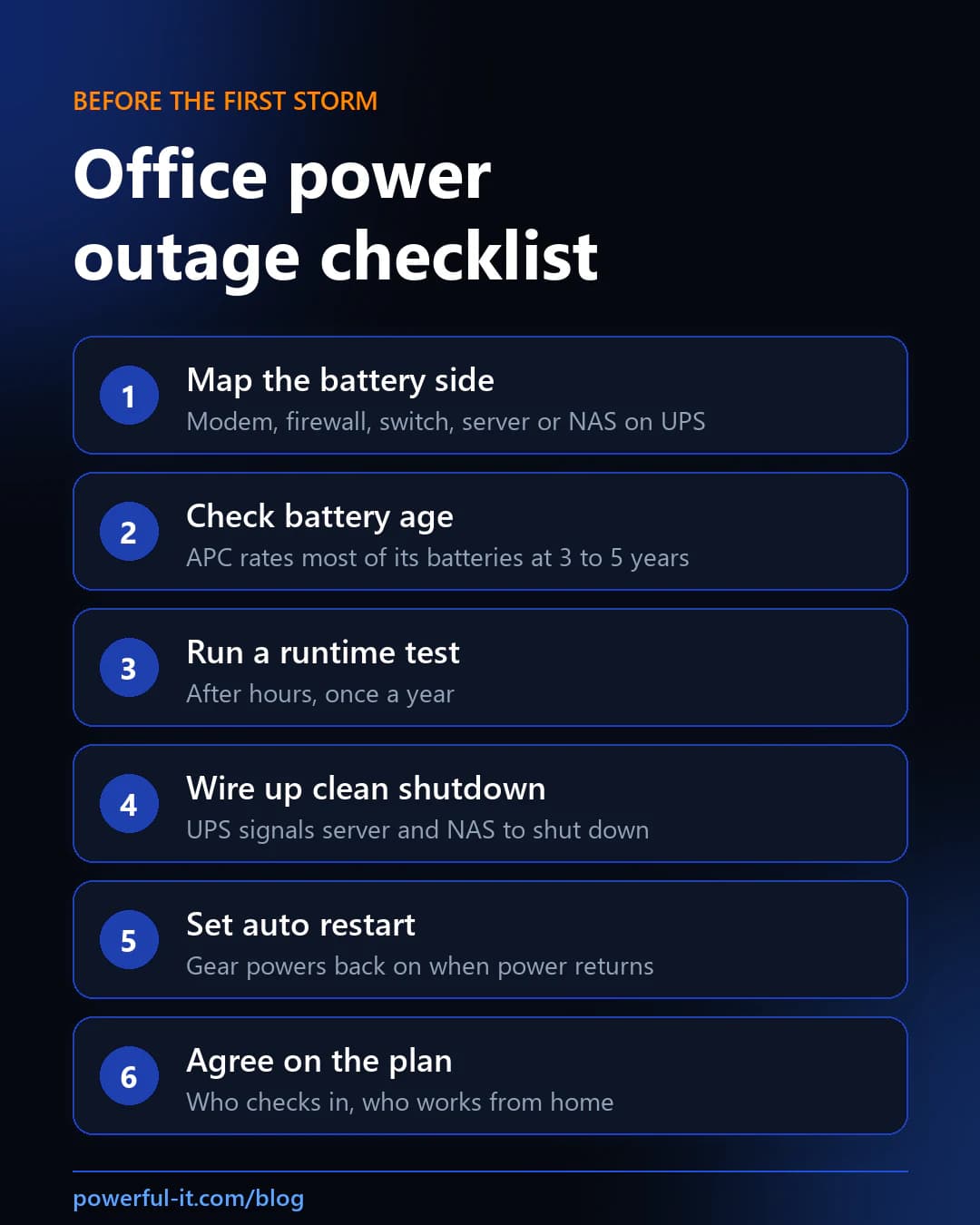
- Map what's on battery. Walk the closet and the front desk. For each piece of equipment, write down whether it's plugged into a UPS: modem, firewall, network switch, Wi-Fi access points, server or NAS, phone system. If the UPS labels some outlets as surge-only, check what's plugged into those. They protect against spikes but provide no battery power.
- Check battery age. Find the purchase date or the battery install date. Anything near or past the three-to-five-year range belongs on the replacement list before winter, and so does anything that has been running hot.
- Run one runtime test. After hours, with everyone warned, unplug the UPS from the wall and time how long the equipment stays up. Don't do this every month. APC recommends runtime calibrations only once or twice a year, because frequent deep discharges shorten battery life.
- Wire up clean shutdown. Connect the UPS to the server or NAS with its USB or network cable and turn on the shutdown setting. On a Synology NAS this lives under Control Panel > Hardware & Power > UPS, where you choose whether it goes into Standby Mode after a set time or when the UPS reports low battery. Synology also recommends simulating an outage before relying on this in production, so test it during the after-hours runtime test.
- Set equipment to come back on by itself. On a Synology NAS, the setting is "Restart automatically after a power failure" under Control Panel > Hardware & Power > General. Synology notes you need it on if you have the UPS shut down along with the NAS. For a Windows server, ask whoever set it up to confirm the server's firmware is set to power on when power returns, then watch it happen during your test.
- Agree on the plan before you need it. Decide who checks whether the office is still dark and who calls the internet provider if service doesn't come back. Decide whether staff switch to working from home on laptops, and confirm which files they can't reach from home because they only live on the office server.
A power outage is an everyday version of the bigger question in disaster recovery and business continuity planning: what still works, and how fast you get the rest back.
When the power comes back
Ready.gov warns that power can return with momentary surges or spikes that damage equipment, and suggests turning off or disconnecting electronics during the outage. For an office, that means anything not behind a UPS or a surge protector is worth unplugging if the outage looks long.
Once the power is steady, bring things up in order: modem and firewall first, then switches and Wi-Fi, then the server or NAS, then desktops. Check that the internet is back, that shared drives open, and that the overnight backup ran or gets rerun. If the server didn't come back on its own, step 5 needs another look.
For the outage itself, We Energies customers can check outage status or report an outage online or at 800-662-4797. Save that number with the office's other emergency contacts, because the phone you'd normally look it up on may be the one without internet.
How Manage IT helps
Most of this checklist is a walk-through and a few settings, and plenty of offices can finish it on their own. Where we usually help is the follow-through: replacing aging UPS batteries, connecting shutdown signals between the UPS and the server, testing restart after hours, and writing down the order things come back up. If you'd like a second set of eyes before winter, our Milwaukee-area team can walk the closet with you.
Final thoughts
The goal isn't keeping the office running through a three-day ice storm. It's making sure a power outage costs you an afternoon and not a corrupted server, a dead battery you didn't know about, or a Saturday drive to turn things back on. If you want to put a number on that afternoon, start with the cost of downtime. Then pick one quiet evening this month, unplug the UPS, and see what happens. Fix whatever surprised you.

Powerful IT Systems · Sussex, WI
Master's degree in Computer Science with 15+ years of hands-on IT experience serving Milwaukee-area businesses.