
A large managed service provider can be the better choice when you need support across several regions, specialist depth, or a staffed overnight helpdesk. A small local MSP can be the better choice when you want a consistent team, a short escalation path, and nearby people who know your office.
Neither result comes with the company size. When comparing a big MSP vs a small MSP, ask who will actually answer, who owns a difficult problem, and who can reach your building. Those answers matter more than the number of employees on the provider's website.
This is the first article in our MSP comparison series. Powerful IT Systems is a local provider, so we have a stake in the comparison. There are still good reasons to choose a larger company.

Who picks up the phone, and who keeps the problem?
Consider a hypothetical Monday morning: nobody can open the shared files, and your software vendor says the server is fine. Your office does not need three separate ticket numbers. It needs someone to work out what failed and stay responsible until people can work again.
A larger provider may have a staffed dispatch desk, several support tiers, and separate network, cloud, and security teams. That structure can help when the first technician needs a specialist. It can also create handoffs if nobody owns the issue across teams.
A smaller provider may put you closer to the person who can make a decision. The trade-off is capacity: ask what happens when that person is handling another outage or is on vacation.
Do not assume that a small MSP means one technician, or that a large MSP means an anonymous call center. Ask each candidate to walk through that shared-files outage, including escalation and updates to your office manager.
The useful evidence is a named role that keeps ownership, a clear escalation route, and an explanation of what happens when the usual technician is unavailable.
Familiar technicians versus a deeper bench
Continuity has practical value. Someone who knows your accounting application's support contact and the printer used for checks needs less explanation when a problem returns. But familiarity is fragile if it lives only in one person's memory.
Ask how each provider documents your systems and assigns cover. Will you have a regular support group? Can another technician find the network diagram, recent changes, and vendor contacts without asking your staff to reconstruct them?
Then test the specialist side. A provider with many employees is not necessarily assigning those specialists to your account. A local provider may use outside partners for some work. Neither arrangement is automatically wrong. You need to know what is included, who gets access to your systems, and who is accountable.
For tooling, ask for evidence rather than a product-logo slide. Have the provider show how it identifies a failed backup, checks an overdue security update, and records the follow-up. A tool being installed is different from someone reviewing its alerts and completing the work.
What on-site support means around Milwaukee
For an office in Brookfield, Waukesha, or Menomonee Falls, the practical question is where the available technician starts the trip, not where the MSP's corporate headquarters sits.
A national provider with a Milwaukee-area team may have strong local coverage. A nearby company may still have all its field staff booked when your firewall fails. Ask who serves your address, whether they are employees or subcontractors, and how an urgent visit is prioritized.
Separate a first response from an arrival or a fix. An acknowledgement can happen quickly while diagnosis, travel, or a replacement part takes longer. Get those distinctions in writing, along with travel charges and after-hours terms.
For a second location outside Wisconsin, ask the same questions again. Do not assume that local coverage at the main office extends to every branch.
When each model fits, including the contract
A big MSP fits you when your offices span several regions, you need a support schedule a smaller team cannot demonstrate, or your internal IT department needs access to several technical specialties. Before choosing it, confirm that those resources are available under your proposed agreement rather than through a separate project contract.
The trade-off to examine is coordination. Who can approve an exception? Who handles an unresolved ticket that has crossed several teams? How much of the environment must change to match the provider's standard tools?
A small local MSP fits you when your work is concentrated in the Milwaukee area, regular on-site help matters, and you value direct access to the people managing your systems. Before choosing it, confirm backup staffing, after-hours arrangements, and how specialist work is covered.
The trade-off to examine is dependency. Can the business support you without its owner or your favorite technician? Written procedures and documented systems matter here.
Contract length is a separate decision. Do not infer it from provider size. Compare the initial term, renewal process, cancellation notice, price-change language, and transition charges in the actual proposals. Ask how you receive administrator access, documentation, and backup information when the relationship ends.
Powerful IT's published plans are month-to-month.[1] That is a specific term of our offer, not a promise about other small MSPs. A longer agreement may still be acceptable if the scope, service commitments, and exit terms work for your business.
Compare the cost without pretending the services are identical
Use the same computer count, locations, support hours, and security requirements for every proposal. Otherwise, the lower monthly number may simply describe less work.
Powerful IT's published pricing is $75 per computer per month for Remote, for 1 to 19 computers, and $125 for Premium, for 20 to 200 computers.[1] Premium includes on-site support and after-hours emergency support. Remote is remote-first; ask about on-site rates. Check the current plan details for the full scope.
There is no single big-MSP price to put beside those figures. Use a written quote from the provider you are considering rather than an unsourced national range.
An internal hire needs a different calculation. O*NET's local wage table, using BLS 2025 wage data, lists a $60,230 annual median for computer user support specialists in the Milwaukee-Waukesha metro.[2] That is a support occupation benchmark, not a salary quote for a senior engineer or an entire IT department.
For an illustrative benefits adjustment, the BLS June 2026 Employer Costs for Employee Compensation release says wages make up 68.5% of total compensation for full-time private-industry workers nationally.[3] Applying that share gives:
$60,230 ÷ 0.685 = approximately $87,927 a year, or $7,327 a month.
Divide by the wage share rather than adding the benefits percentage to salary: the benefits share is a percentage of total compensation. This combines a local occupational median with a national full-time compensation share, so it is a planning illustration, not a Milwaukee IT-specific employer-cost estimate.
| Option | Monthly comparison | Annual comparison | What the figure does not establish |
|---|---|---|---|
| Powerful IT Premium, 25 computers | $3,125 | $37,500 | Confirm licenses, hardware, projects, and exclusions in the agreement. |
| Powerful IT Premium, 50 computers | $6,250 | $75,000 | Same published rate applied to a different computer count. |
| Large MSP, matching scope | Obtain a written quote | Obtain a written quote | Confirm local dispatch, coverage, specialist access, and transition charges. |
| One internal user-support hire, illustrative compensation | About $7,327 | About $87,927 | Does not add IT tools, recruiting, equipment, training, or separate cover. |
These are not interchangeable purchases. An employee supplies dedicated internal capacity and business context. An MSP supplies the services and shared-team coverage specified in its agreement. Neither the table nor a lower bill proves which arrangement will work better.
A comparison you can finish before the next sales call
Send both candidates the same short request and compare their written answers:
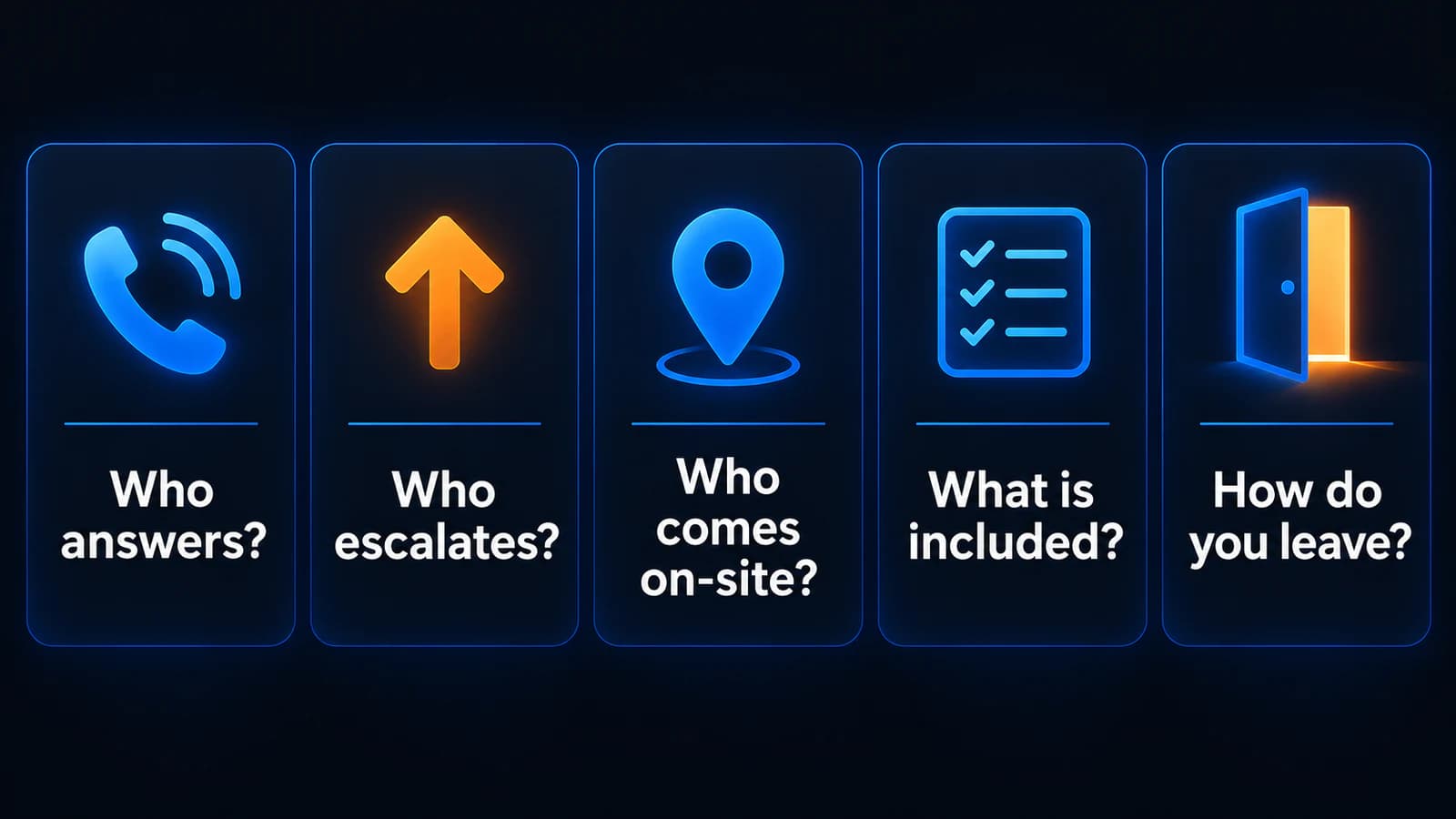
- Support ownership: Who answers, who escalates, and who keeps responsibility when another vendor is involved?
- Staffing: Who normally works on our account, and who covers absences or simultaneous outages?
- On-site coverage: Who serves each address, during which hours, at what charge, and with what arrival commitment?
- Included work: What support, security, backup, licensing, and project work is included or excluded?
- Leaving: What are the term, notice period, renewal rules, and process for returning access and documentation?
If the large provider gives clearer, more credible answers for your needs, choose it. If the local team can demonstrate the coverage you need with fewer handoffs, that may be the better fit.
For a broader vetting checklist, use our Milwaukee MSP buyer's guide. To compare Powerful IT against another proposal, start with our published plans and ask us to confirm the scope for your office. The next useful step is a matched comparison, not another sales presentation.
Sources
- [1] Powerful IT Systems: Managed IT plans and pricing
- [2] O*NET OnLine: Local wages for computer user support specialists, Milwaukee-Waukesha
- [3] U.S. Bureau of Labor Statistics: Employer Costs for Employee Compensation, June 2026
- [4] Powerful IT Systems: IT blog
- [5] Powerful IT Systems: How to choose an MSP in Milwaukee
- [6] Powerful IT Systems: How to evaluate an IT provider

Powerful IT Systems · Sussex, WI
Hands-on IT experience serving Milwaukee-area businesses.