
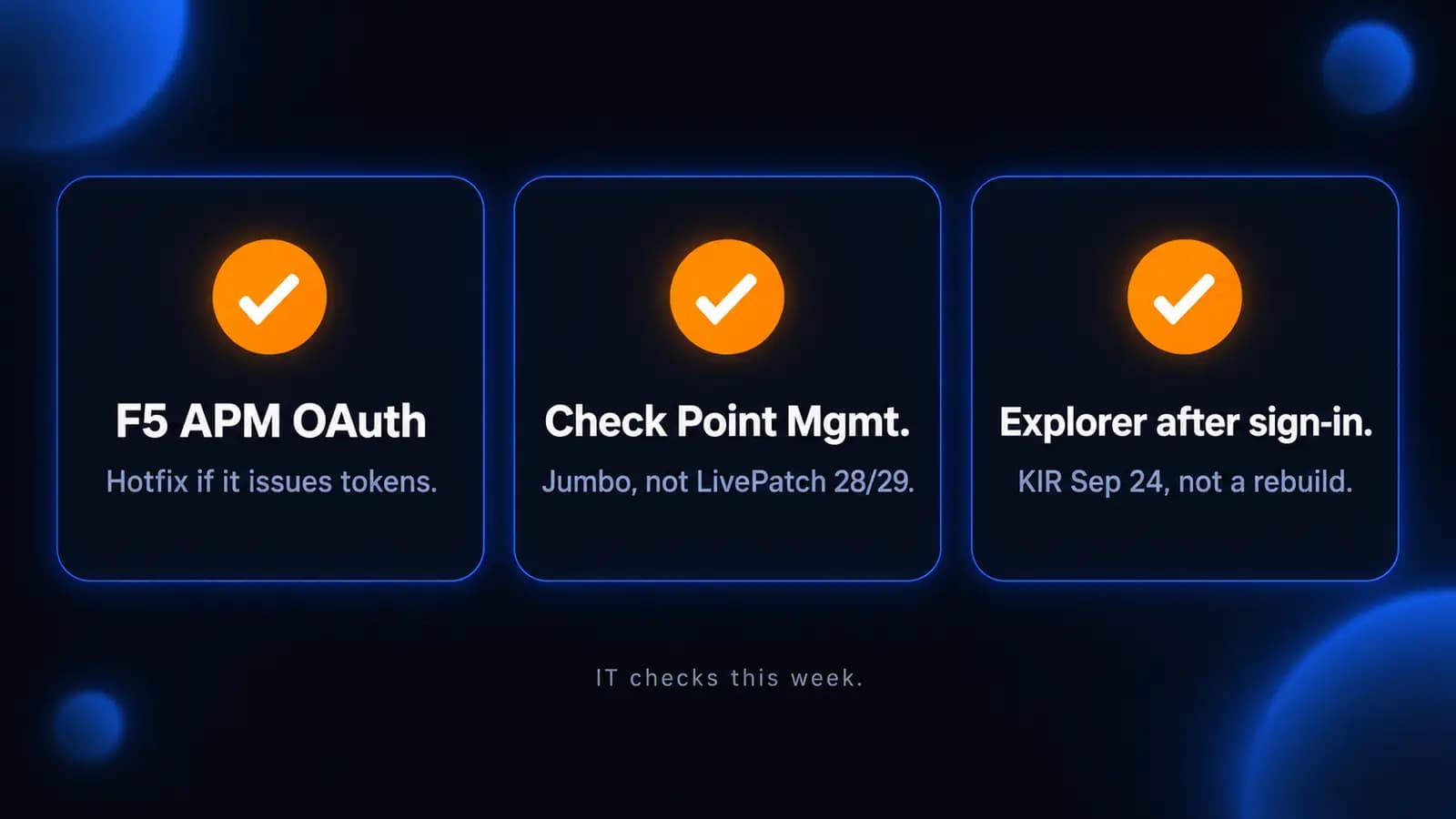
This week's useful work is three concrete jobs: patch F5 BIG-IP Access Policy Manager if it is acting as an OAuth authorization server (CISA listed an unauthenticated code-execution bug as exploited), install the Check Point Jumbo for CVE-2026-93616 because last week's management LivePatch does not cover it, and apply Microsoft's September 24 Known Issue Rollback if Windows Explorer never comes up after sign-in.
None of these items means every office is already compromised. Each one only applies if you actually run that product. A Microsoft 365 shop with no F5 box is not CVE-2026-94127. A FortiGate or UniFi gateway is not Check Point Security Management. A PC that reaches the desktop normally after the August and September updates is not the Explorer hang. Start with the inventory, not a rebuild.
F5 BIG-IP APM needs the engineering hotfix if it issues OAuth tokens
What happened
On September 22, 2026, F5 published advisory K000162605 for CVE-2026-94127, a heap-based buffer overflow in BIG-IP Access Policy Manager. F5's wording, as quoted by CERT-EU and BleepingComputer: the vendor has learned that this vulnerability has been exploited. CERT-EU rates it CVSS 9.8 and says an unauthenticated attacker can achieve remote code execution on the affected device.
CISA added CVE-2026-94127 to the Known Exploited Vulnerabilities catalog the same day. Catalog wording: F5 BIG-IP APM contains a heap-based buffer overflow when an access policy and an OAuth profile are configured on a virtual server, which could allow an unauthenticated attacker to perform remote code execution. CISA marks ransomware use as Unknown. The federal due date in that catalog row is September 25, 2026. That date is a BOD 26-04 deadline for federal civilian agencies. CISA still encourages other organizations to treat KEV items as a priority queue.
F5 later narrowed the condition. The Hacker News, citing F5's CVE record updated at 00:45 UTC on September 23, reports the flaw is present only when APM serves as an OAuth authorization server (the role that issues access tokens). Deployments that use APM only as an OAuth client or resource server, with no authorization-server profiles, are not affected. Limiting access to the BIG-IP management interface does not protect against this bug, because the malicious traffic hits the virtual server itself. Appliance mode is also vulnerable.
CISA's KEV notes tell agencies to apply F5's iRule first so they can do forensic triage, then install the vendor patch.
Who is affected
BIG-IP systems where APM is configured as an OAuth authorization server, with an access policy and that OAuth profile on the same virtual server, on these branches until the matching engineering hotfix is installed:
- 21.1.0, before Hotfix-BIGIP-21.1.0.2.0.30.22-ENG
- 17.5.0 through 17.5.1, before Hotfix-BIGIP-17.5.1.9.0.160.12-ENG
- 17.1.0 through 17.1.3, before Hotfix-BIGIP-17.1.3.5.0.41.14-ENG
A load balancer with no APM module is not this CVE. An APM that only publishes apps, with no OAuth authorization-server profile, is not this CVE. F5 did not evaluate versions that have already reached End of Technical Support; those are unknown, not proven safe.
What to check or fix now
- Inventory: is there a BIG-IP with the APM module? In the GUI, look under Access > Federation > OAuth Authorization Server > OAuth Profile. If that profile is attached to a virtual server, treat the box as in scope.
- Preserve logs and cores before you reboot into a hotfix. CERT-EU, quoting F5, says the combination that deserves a human review is repeated OAuth authentication failures, then suspicious commands, then a TMM SIGABRT shortly after.
- Hunt those signs: /var/log/apm for repeated "The access token is invalid" UserInfo failures (especially 10 or more from one IP in a short window); tmctl global_oauth_stat for an unexplained rise in total_failed; /var/log/audit around those timestamps; TMM core files as something to investigate, not proof by themselves.
- Install the engineering hotfix for your branch from F5. If you cannot install it yet, open a ticket and apply the iRule F5 Support provides on the affected virtual server. That iRule is a temporary control, not the fix.
- After the hotfix, confirm the build string. Do not assume a March APM patch (CVE-2025-53521) already covers this. The Hacker News notes that 17.1.3 and 17.5.1.3 still sit inside this week's affected ranges.
How to prevent it
Identity proxies that issue OAuth tokens are internet-facing by design. They need a named owner, a current hotfix process that includes engineering hotfixes (not only scheduled trains), and a hunt after any KEV row that names the product. Related reading: why software updates are your first line of defense.
Check Point management needs this week's Jumbo; LivePatch 28/29 is not the fix
What happened
On September 22, 2026, Check Point published CVE-2026-93616: a pre-authentication path traversal and file-upload bug in the management web service. Check Point's wording: an unauthenticated attacker can upload and execute arbitrary scripts on the Management Server. CVSS 9.8. The vendor says the vulnerability is exploited in the wild and that it is aware of a handful of customers who have been attacked. The blog dates those pinpointed attacks to July 23, 2026.
CISA added CVE-2026-93616 to KEV the same day. Catalog wording: Check Point Security Management Server, Multi-Domain Security Management Server, Log Server, Multi-Domain Log Server, and SmartEvent contain a path traversal vulnerability that allows an unauthenticated attacker to upload and execute arbitrary scripts. Ransomware use: Unknown. Federal due date: September 25, 2026, a BOD 26-04 date for agencies.
This is not last week's management item. The September 19 brief covered CVE-2026-91843 (sk1000155), a login-path overflow that LivePatch could address. Check Point is explicit that LivePatch Take 28/29 does not address CVE-2026-93616, and that a LivePatch will not be available for this issue because of the nature of the fix. The new Jumbos also fold in last week's 91843 fix, so one Jumbo covers both.
Who is affected
On-premises Check Point Security Management, Multi-Domain Management, Log Server, Multi-Domain Log Server, and SmartEvent on:
- R82.20 (until the R82.20 Security Hotfix TAR)
- R82.10 Jumbo Take 44 or lower
- R82 Jumbo Take 126 or lower
- R81.20 Jumbo Take 166 or lower
- R81.10 Jumbo Take 190 or lower (end of support)
- R80, R80.10, R80.20, R80.30, R80.40, and R81 (all end of support)
Not affected, per Check Point: Smart-1 Cloud (fix already applied), Check Point firewall appliances, and Spark firewalls. A gateway-only Check Point box with no local management, log, or SmartEvent server is not this CVE. Related reading: last week's ScreenConnect, Check Point VPN, and MikroTik brief was the VPN LivePatch job; this week's job is the management Jumbo.
What to check or fix now
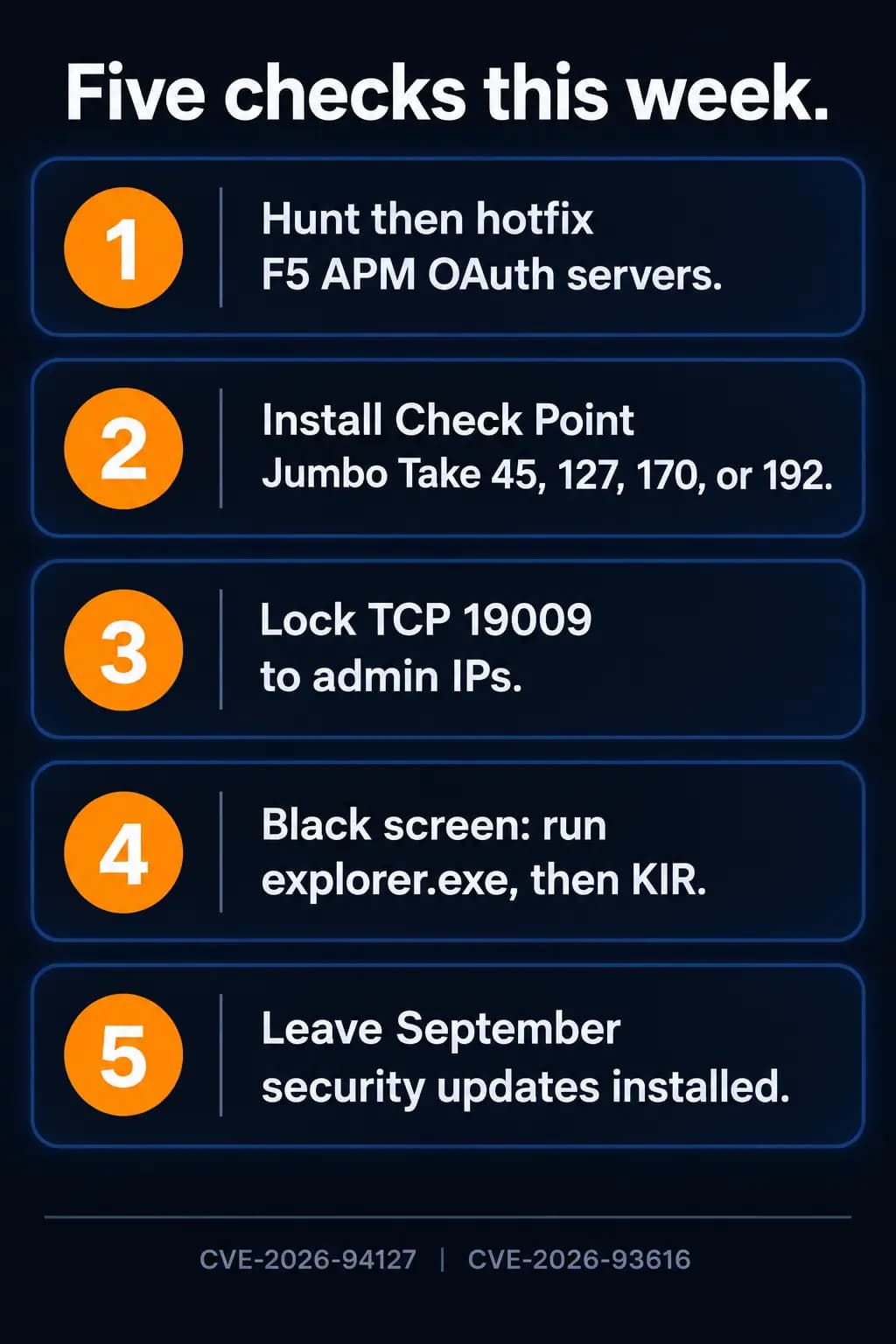
- Confirm you actually have a management, log, or SmartEvent server, including a VM that only stores logs. Then read the Jumbo take. The fixed takes are R82.10 Take 45, R82 Take 127, R81.20 Take 170, and R81.10 Take 192, or the R82.20 Security Hotfix TAR. Install that Jumbo. Do not stop at LivePatch Take 28/29.
- Until the Jumbo is on, restrict TCP/19009 to trusted admin IPs. In SmartConsole: Manage & Settings > Permissions & Administrators > Trusted Clients. That is a temporary control, not the patch.
- Hunt on every management, MDS, log, MDS log, and SmartEvent server. Check Point's two indicators: a cpm.elg login line whose username is 1,001 characters or longer and an fwm/mds core dump at the same time; and a ReflectionUtils error loading allResourceFiles from a path that contains ../. Either hit is a potential exploit attempt, not proof of success by itself.
- End-of-support trains (R80.x, R81, R81.10) do not get a comfortable Jumbo story. Plan a version move; do not leave an internet-reachable management UI on an EoS build.
- After the Jumbo, confirm the take and keep 19009 off the public internet.
How to prevent it
Management servers should not be reachable from the same network that users browse from, and a LivePatch dashboard is not a substitute for reading the SK when Check Point says LivePatch does not apply.
A black screen after sign-in can be Explorer, not a wiped profile
What happened
On September 24, 2026, Microsoft opened a Windows 11 known issue: after installing the August 27, 2026 non-security preview (KB5120998) and later updates, some devices might hit desktop loading problems. Microsoft's wording: a black screen appears after sign-in and the desktop session does not load automatically; users might be unable to access their desktop until the session is started manually; Application event logs might show Windows Explorer crashes. Status on the 24H2 page, last updated September 24, 2026 at 19:27 PT: Mitigated. Microsoft says the issue has been primarily observed on Azure Virtual Desktop hosts using FSLogix, and that it appears to occur more frequently with some existing user profiles.
This is not the August wallpaper bug. That separate item, "Desktop background settings are lost or reset," was a black solid color wallpaper and is listed as Resolved on the 24H2 resolved-issues page. This week's item is Explorer not starting, so you never get a desktop.
Microsoft's workaround is either to launch explorer.exe by hand from Task Manager, or to deploy a Known Issue Rollback Group Policy, then restart. The KIR packages Microsoft named on September 24 are KB5124006 (260924_20071 Known Issue Rollback) for Windows 11 26H1, and KB5124010 (260924_20021 Known Issue Rollback) for Windows 11 25H2 and 24H2. Microsoft says that Group Policy disables the change causing the issue until a future Windows update. Affected platforms listed: Windows 11 26H1, 25H2, and 24H2. Server: none.
Who is affected
Windows 11 24H2, 25H2, or 26H1 PCs that installed KB5120998 or a later update and then show a black screen instead of the desktop after a successful sign-in, especially AVD session hosts that use FSLogix.
A PC that only lost its wallpaper color in August, but still reaches the desktop, is the older resolved item, not this one. A Windows Server session host is not in Microsoft's affected-platform list for this KIR.
What to check or fix now
- If a user is staring at a black screen after a valid password, try Task Manager (Ctrl+Shift+Esc), Run new task, explorer.exe. If that brings the desktop back, you are in Microsoft's described workaround, not a wiped profile.
- Check Application logs for Explorer crashes around those sign-ins.
- For IT-managed PCs, install and configure the KIR Group Policy for the Windows 11 version you actually run (KB5124006 on 26H1, KB5124010 on 25H2/24H2), then restart. Microsoft's note: you need the matching policy for your version.
- Do not rebuild the FSLogix profile or reimage the host as the first move. Microsoft is still writing a permanent fix into a future Windows update.
- Do not uninstall the September security updates to chase a desktop. Those packages include this month's exploited elevation-of-privilege fixes. Use the KIR.
How to prevent it
Read Windows release health the same week you deploy Patch Tuesday, including the "opened today" rows, not only the ones you already filed last month. Related reading: Windows 11 Hotpatch for Business.
What to do this week
- If you have BIG-IP APM issuing OAuth tokens, hunt the APM/audit/TMM signs, then install F5's engineering hotfix (or the support iRule until you can).
- If you have Check Point management, log, or SmartEvent, install the Jumbo take listed above. Do not count LivePatch 28/29 as done.
- Restrict Check Point TCP/19009 to trusted admin IPs until that Jumbo is confirmed.
- If anyone gets a black screen after sign-in on Windows 11, launch explorer.exe from Task Manager and deploy the September 24 KIR for that build.
- Keep September's security updates installed. None of this week's items is a reason to roll those KBs off.
If you need someone who can handle these checks for you, reach out to us. We would be happy to help.
Sources
- CISA alert, September 22, 2026
- CISA Known Exploited Vulnerabilities catalog (JSON)
- F5 K000162605
- CERT-EU Security Advisory 2026-013, September 22, 2026
- The Hacker News, September 23, 2026
- BleepingComputer on the F5 APM zero-day
- Check Point blog advisory, September 22, 2026
- Check Point sk1000171
- Windows 11, version 24H2 known issues
- Windows 11, version 25H2 known issues
- Resolved issues in Windows 11, version 24H2

Powerful IT Systems · Sussex, WI
Master's degree in Computer Science with 15+ years of hands-on IT experience serving Milwaukee-area businesses.