
Your IT person is on a week of vacation, and on Tuesday morning the office manager can't get into Microsoft 365. Someone needs to reset the account, check whether it was a lockout or a compromise, and maybe call the internet provider. Who does it?
With one in-house IT employee, the honest answer is often "we wait" or "we call them on vacation." With an MSP, the answer is whoever is on the support team that day, as long as the provider actually documented your setup. And there is a third option many offices skip over: keep the IT person and hire an MSP to cover the gaps. That's co-managed IT.
This is part two of our series on choosing an IT support model, after Big MSP vs Small Local MSP. Below: what each option is good at, what each one costs in the Milwaukee area using published wage data and real plan prices, and a short checklist you can finish this week no matter which model you use.

The real issue is a single point of failure
One good IT employee can be a great asset. They know which accounting app breaks after updates, which printer the front desk actually uses, and who to call at the phone vendor. They're in the building, they know the people, and they answer to you.
The risk isn't skill. It's that one person holds the admin passwords, the vendor contacts, and the memory of why things were set up a certain way. That knowledge leaves the building every evening, every vacation, every sick day, and for good if they resign.
Time away is normal and already in the cost. BLS reports that for full-time private industry workers in June 2026, employer costs for paid leave accounted for 8.1 percent of total compensation costs. You pay for that vacation week either way. The question is who covers the work while it happens.
What each option is good at
One in-house IT employee
- Strengths: daily presence, deep knowledge of your people and your line-of-business software, direct control over priorities.
- Trade-offs: one person's hours, one person's skill set, and coverage gaps for nights, weekends, time off, and turnover. You also handle hiring, training, tools, and supervision.
A managed service provider (MSP)
- Strengths: a team instead of one person, shared documentation, monitoring tools, and someone to call when your usual technician is busy or out.
- Trade-offs: they aren't on your payroll or in your office every day, and they learn your business from the outside. The quality of the arrangement depends on what the agreement says and whether the provider keeps good records.
Co-managed IT (in-house person plus an MSP)
- Strengths: you keep the person who knows your office, and the MSP covers agreed areas such as after-hours alerts, security tools, patching, projects, or overflow tickets.
- Trade-offs: you pay for both, and it only works if responsibilities are written down. If nobody owns the backup alerts, both sides can assume the other one is watching.
What it costs in the Milwaukee area
These numbers come from the Bureau of Labor Statistics May 2025 wage estimates for the Milwaukee-Waukesha metro area. They are median annual wages, which means half of workers in that job earn more and half earn less.
- Computer User Support Specialists (SOC 15-1232): median annual wage of $60,230 in Milwaukee-Waukesha. The Wisconsin statewide median in the same BLS data is $58,810.
- Network and Computer Systems Administrators (SOC 15-1244): median annual wage of $90,140 in Milwaukee-Waukesha. The Wisconsin statewide median in the same BLS data is $83,650.
A one-person IT department usually does parts of both jobs, so the realistic cost sits somewhere in that range depending on the person's experience.
Salary isn't the whole cost. BLS's June 2026 Employer Costs for Employee Compensation report says wages and salaries accounted for 68.5 percent of employer costs for full-time private industry workers, and benefits accounted for the remaining 31.5 percent. That is a national figure, not a Milwaukee one, but it gives a reasonable way to estimate the full cost: divide the wage by 0.685.
- $60,230 ÷ 0.685 = about $87,927 per year
- $90,140 ÷ 0.685 = about $131,591 per year
Those estimates still leave out recruiting, the employee's own tools and software, training, and management time.
Powerful IT's pricing page lists two flat per-computer plans: Remote at $75 per computer per month for 1 to 19 computers, and Premium at $125 per computer per month for 20 to 200 computers. The page also lists servers at $125 per month each, locations at $150 per month each, and on-site visits at $100 per hour on the Remote plan; Premium includes on-site support.
| Option | Basis | Monthly | Yearly |
|---|---|---|---|
| One IT hire, user support level | $60,230 median wage ÷ 0.685 | about $7,327 | about $87,927 |
| One IT hire, systems administrator level | $90,140 median wage ÷ 0.685 | about $10,966 | about $131,591 |
| MSP, 15 computers | Remote plan, $75 × 15 | $1,125 | $13,500 |
| MSP, 40 computers | Premium plan, $125 × 40 | $5,000 | $60,000 |
| MSP, 100 computers | Premium plan, $125 × 100 | $12,500 | $150,000 |
The MSP rows don't include server or extra location charges, and the hire rows don't include recruiting or tools, so treat this as a starting comparison, not a quote. Co-managed pricing depends on which tasks the MSP takes on, so get it in writing for your actual split.
What about larger national MSPs? We couldn't find a reliable published price range to quote. Many providers, large and small, price by quote, based on device count, servers, locations, security tools, on-site terms, and contract length. Ask for the same scope in writing from each provider so you can compare them line by line.
This fits you when...
One in-house IT employee fits when:
- You have enough daily IT work to keep one person busy full time.
- You rely on specialized software or processes that need someone close to the staff.
- You can afford the full loaded cost and still plan cover for vacations, sick days, and a resignation.
An MSP fits when:
- You want a team behind your support instead of one person, including when your usual contact is out.
- You'd rather pay a predictable monthly fee than recruit, manage, and replace an IT hire.
- You're comfortable working through a provider, with responsibilities spelled out in the agreement.
Co-managed IT fits when:
- You already have a capable IT person and want to keep them.
- That person is stretched thin, or you need cover for nights, weekends, time off, or security monitoring.
- Both sides will agree in writing who owns tickets, patching, security alerts, backups, projects, and vendor calls.
The table does the math for you. At $125 per computer, a 58-computer office pays about what one user-support-level hire costs, and an 87-computer office pays about what one systems-administrator-level hire costs. Below those sizes, a mid-sized local MSP usually gives you a whole team, on-site help, and cover for time off for less than one hire. Above them, or with very specialized needs, a hire or a co-managed setup deserves a serious look.
Checklist: can your office survive the IT person being out?
Run through this with whoever handles IT today, in-house or outside. Each item is a yes or no.
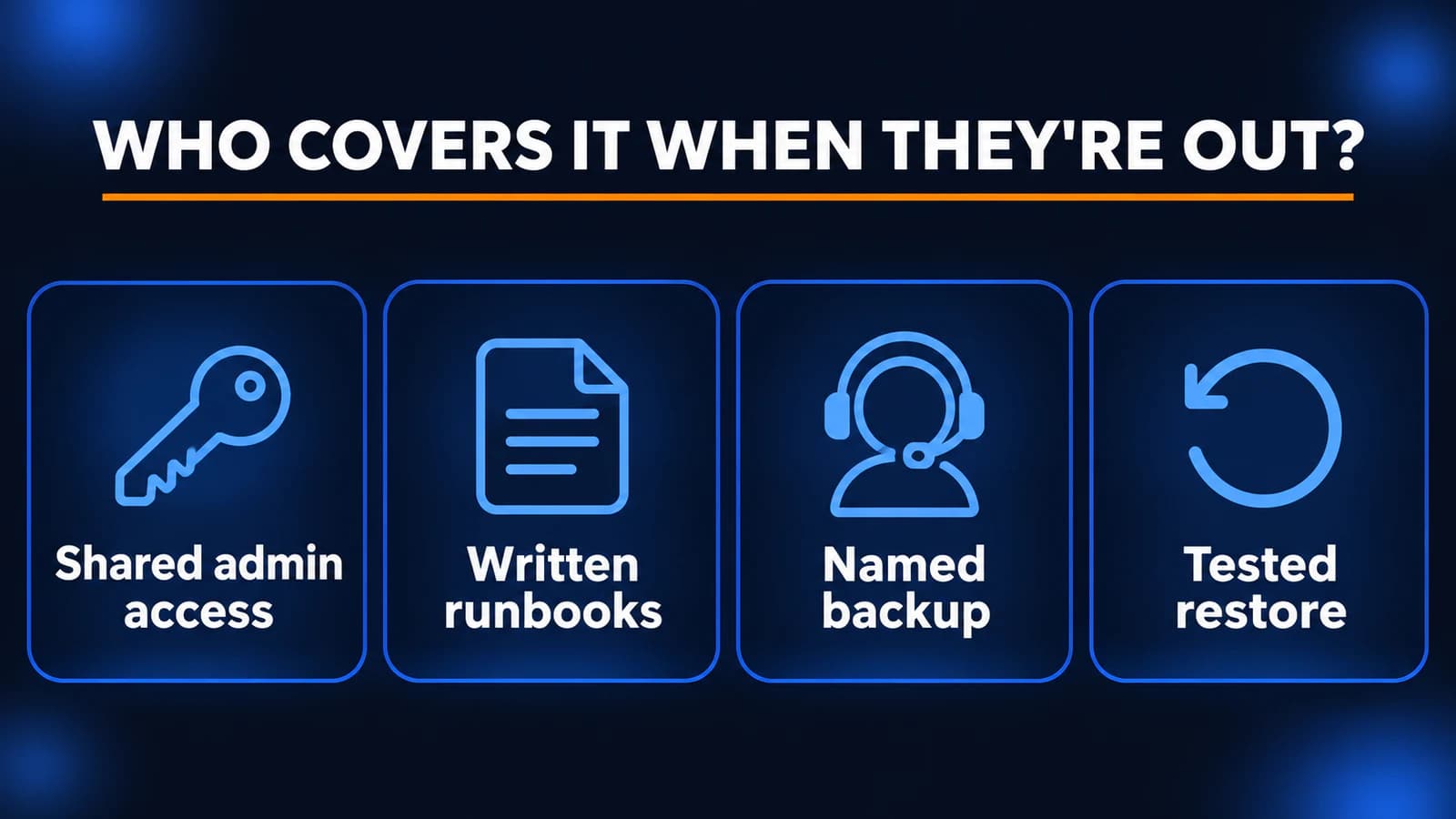
- Admin access is shared safely. At least two people (or one person plus your provider) can get into Microsoft 365 or Google Workspace, the firewall, the domain registrar, and the backup system, using a password manager or break-glass account, not a sticky note.
- Vendor contacts are written down. Your internet provider, phone vendor, line-of-business software support, and printer company are listed with account numbers in one place someone else can find.
- There's a named backup person. Someone other than your IT person knows they're the go-to for urgent issues during time off, and staff know how to reach them.
- Someone else has restored a file. A second person has actually restored a file or mailbox from backup using the written steps, not just confirmed the backup ran.
- Alerts go to more than one inbox. Backup failures, security alerts, and domain or certificate expiration notices don't land only in one person's email.
- There's an exit plan. If your IT person resigns or your MSP contract ends, you know what you get back: passwords, documentation, network diagrams, and license records.
If you answered no to two or more, that's your project for the next month, whichever support model you choose.
How Powerful IT works
Powerful IT Systems is a Milwaukee-area MSP based in Sussex, Wisconsin, working with businesses from about 10 to 200 computers. We offer fully managed IT, co-managed IT alongside an in-house person, and remote-first support.
When we start with a new office, we spend onboarding learning the environment and documenting it: admin access, vendors, network layout, and backups, so the answers in the checklist above don't live in one person's head, including ours. Our Premium plan includes on-site support from our local team, and both plans include 24/7 security monitoring (SOC) and endpoint protection (EDR). In co-managed setups, we agree up front which tasks are ours and which stay with your IT person.
If you want to see where you stand, run the checklist above first. If it turns up gaps and you'd like a second set of eyes, our pricing page shows exactly what each plan includes.
Related reading
Sources
- O*NET OnLine: Local wages for computer user support specialists, Milwaukee-Waukesha (BLS 2025 wage data)
- O*NET OnLine: Local wages for network and computer systems administrators, Milwaukee-Waukesha (BLS 2025 wage data)
- U.S. Bureau of Labor Statistics: May 2025 occupational employment and wage estimates, Milwaukee-Waukesha
- U.S. Bureau of Labor Statistics: Employer Costs for Employee Compensation, June 2026
- Powerful IT Systems: Managed IT plans and pricing
- Powerful IT Systems: Co-managed IT services

Powerful IT Systems · Sussex, WI
Hands-on IT experience serving Milwaukee-area businesses.