
This week's list starts with a server problem most offices never see directly: a critical Java bug that can hide inside the business apps you already run. The second item is an FBI warning about an automated attack tool that goes looking for the systems nobody remembers to patch. The third is smaller and very practical: November's Windows update broke some activation scripts, and Microsoft has shipped the fix.
Java4Shell: patch Java on servers, starting with anything reachable from the internet
What happened
On November 17, CISA urged organizations to immediately patch CVE-2026-114938, an Oracle Java bug researchers call "Java4Shell." CISA describes it as a critical memory-corruption flaw in the Base64 decoder of the x86-64 HotSpot Java Virtual Machine. Specially crafted Base64 input "could crash the JVM and allow for unauthenticated remote code execution." In plain terms, an attacker who can send data to a vulnerable Java app may be able to take over the server without a password.
Oracle fixed it in its November 2026 Critical Security Patch Update and rates it 8.1, noting that it is difficult to exploit. As of this morning, CISA has not added CVE-2026-114938 to its Known Exploited Vulnerabilities catalog, so we have no confirmed reports of attacks yet. The researchers who found it say they are holding back app-specific exploits until people have had time to update.
Who is affected
Oracle lists these supported versions as affected: Oracle Java SE 8u511b33-perf, 17.0.21.0.3, 21.0.13.0.3, 25.0.5.0.3, and 27.0.1.0.3; Oracle GraalVM for JDK 17.0.21.0.3 and 21.0.13.0.3; and Oracle GraalVM Enterprise Edition 21.3.20.0.3. Oracle notes the attack works by supplying data to the affected component, for example through a web service.
The catch is finding it. CISA points out that Java runtimes are often bundled inside third-party applications, container images, and appliances, and "may not appear as separate entries in software inventories." Plenty of offices run Java without knowing it, inside a line-of-business app, a help desk, a reporting server, or a vendor appliance.
What to check or fix now
- List every server and appliance that runs Java, including Java bundled inside other software. Ask your software vendors directly if you are not sure.
- Install Oracle's November update, or your Java vendor's fixed build if you use a non-Oracle Java. Do internet-facing systems first.
- For apps that ship their own Java, watch for the vendor's patched release and install it when it lands.
- If you cannot patch right away, follow CISA's stopgaps: limit who can reach the app without signing in, and restrict input size at the application boundary.
- Watch for unexpected Java crashes, Java runtimes you did not install, and Java processes doing things they normally do not.
How to prevent it
Keep a software inventory that includes runtimes like Java, not just the apps on top. When you buy software that runs on a server, ask the vendor how they ship Java security updates and how fast.
FBI warning: the ARTEX attack tool looks for the systems you forgot about
What happened
On November 13, the FBI released FLASH-20261113-001 about ARTEX, an open-source AI-driven penetration testing framework that attackers have turned into an attack tool. The FBI says multiple groups have used it since at least August 2026 against organizations in finance, government, healthcare, manufacturing, legal, and other sectors. In some intrusions, the FBI says attackers went "from initial targeting to privileged access in under three hours."
The advisory says ARTEX is especially good at finding peripheral systems that get less attention, such as partner and supplier portals, employee applications, legacy services, and third-party integrations. The FBI also ties it to the ConnectWise Cloud Backup supply chain compromise, which led to attempted sign-ins to more than 2,250 downstream Microsoft 365 tenants. We covered that compromise in an earlier brief. The original developer removed the code from GitHub in October, but the FBI says copies and forks are still available.
Who is affected
Any organization with systems reachable from the internet, and especially anyone with forgotten portals, old services, or third-party apps connected to Microsoft 365. Organizations where ConnectWise Cloud Backup apps are installed now, or were in the past, have specific review steps.
What to check or fix now
- Make a list of everything you have that is reachable from the internet, including old portals, test sites, and vendor-hosted pages with your name on them.
- Move admin pages for firewalls, hypervisors, and backup systems off the open internet. The FBI recommends allowing them only from trusted networks or dedicated admin paths.
- In Microsoft Entra, review enterprise apps and consent grants, and remove permissions nobody needs.
- If ConnectWise Cloud Backup apps were ever authorized in your tenant, search for them by application ID rather than display name, and review sign-in activity back to at least October 1, 2026.
- If you find suspicious activity, save the logs first. The FBI advises against deleting enterprise apps as the first response.
How to prevent it
Give third-party apps the least access they need, and review app consents on a schedule. Retire systems you no longer use instead of leaving them online. Watch for bursts of failed sign-ins and unusual app activity, which the FBI lists as signs of automated attacks. Our guide on why your business needs a strong firewall covers the basics.
Windows: November's update broke some activation scripts, and the fix is out
What happened
After the November 10 Windows security update, Microsoft confirmed that certain licensing and activation commands run with the Software Licensing Management Tool (slmgr.vbs) can fail with error 0x80041008 (Invalid parameter). Microsoft names slmgr.vbs /ipk (install a product key) and slmgr.vbs /skms-domain (set the KMS search domain) as commands where the failure was seen.
On November 13, Microsoft released optional out-of-band updates that fix it. Microsoft says devices that are already activated stay activated.
Who is affected
Mostly organizations that use slmgr.vbs commands or automated processes to set up KMS activation, install product keys, or manage licensing. That usually means new PC and server builds, imaging scripts, and any machine where someone needs to change the product key. Microsoft says devices that already have the right KMS client key and configuration, and do not need these commands, are not expected to be affected.
What to check or fix now
- Check your imaging and setup scripts, and recent new PC or server builds, for activation errors with code 0x80041008.
- If you are affected, install the out-of-band update for that Windows version: KB5136489 (Windows Server 2025), KB5136487 (Windows Server 2022), KB5136490 (Windows Server 2019 and Windows 10 Enterprise LTSC 2019), KB5136483 (Windows 11, version 23H2), or KB5136493 (Windows 10, version 22H2 ESU and Windows 10 Enterprise LTSC 2021).
- Except for Windows 11 version 23H2, these updates are only in the Microsoft Update Catalog, so Windows Update will not install them on its own. On Windows 11 version 23H2, find it under Settings > Windows Update > Advanced options > Optional updates.
- Do not uninstall the November security update to get around this. Microsoft says the out-of-band updates include the November security fixes.
How to prevent it
Test the monthly update on one imaging or setup run before you roll it out broadly. Also note that Microsoft says the November 2026 update was the last one for Windows 11, version 23H2 Enterprise and Education, so plan upgrades for any PCs still on that version. Our previous November brief covers other snags from this month's Windows update.
What to do this week
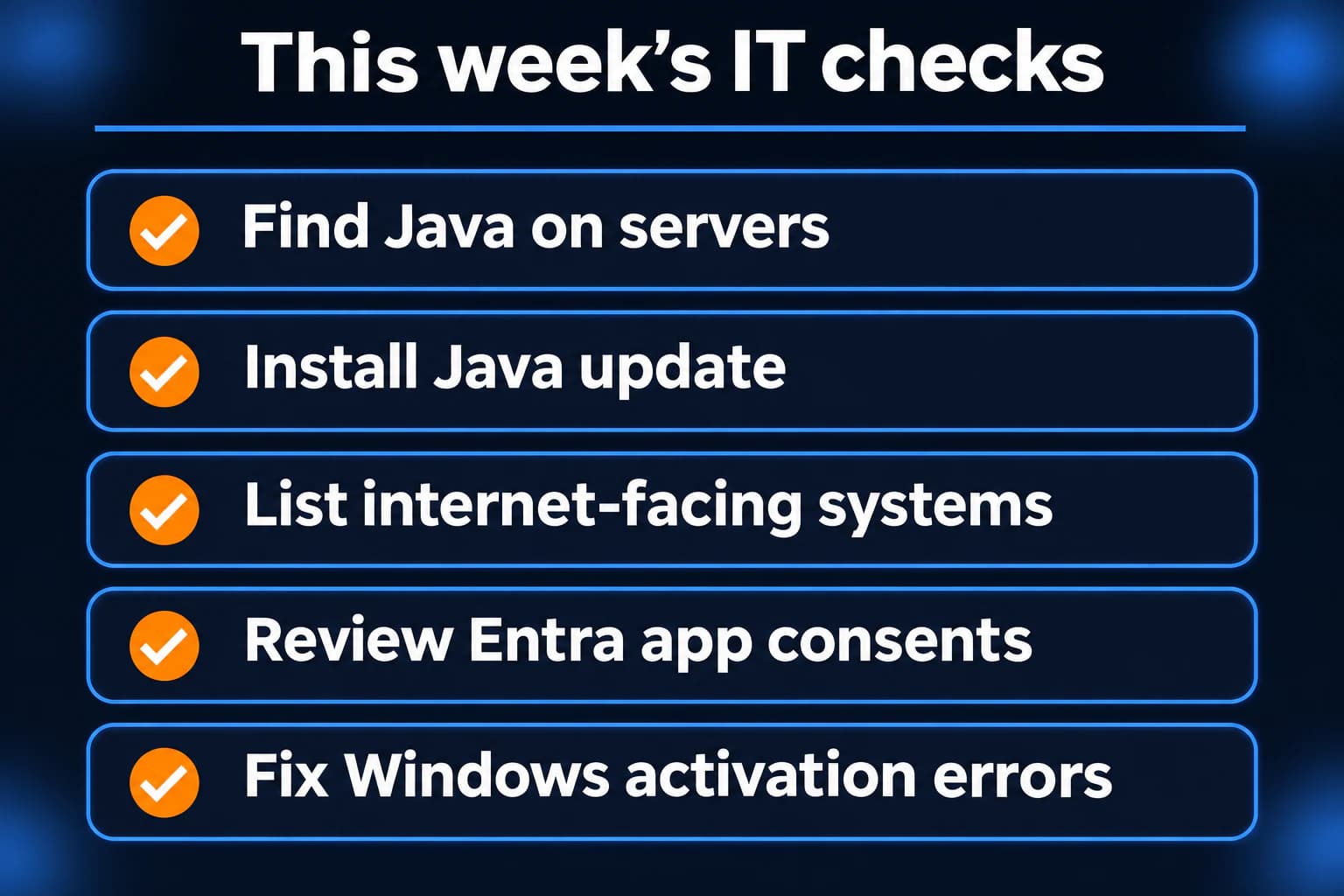
- List every server and appliance that runs Java, including Java bundled inside other software.
- Install Oracle's November Java update or your vendor's fixed build, internet-facing systems first.
- Make a list of everything you have that is reachable from the internet, and take admin pages for firewalls, hypervisors, and backups off the open internet.
- Review Microsoft Entra app consents, and check for ConnectWise Cloud Backup apps by application ID.
- If Windows activation scripts fail with 0x80041008, install the matching November 13 out-of-band update.
If you need someone who can handle these checks for you, reach out to us. We would be happy to help.
Sources
- CISA, Critical Java Vulnerability Requires Immediate Patching (November 17, 2026)
- Oracle Critical Security Patch Update Advisory, November 2026
- NVD entry for CVE-2026-114938
- Calif researcher write-up on Java4Shell
- CISA Known Exploited Vulnerabilities catalog
- FBI FLASH-20261113-001, Threat Overview of ARTEX Autonomous Penetration Testing Framework
- Windows message center, out-of-band update for licensing and activation errors (November 13, 2026)
- KB5136489, Windows Server 2025 out-of-band update
- KB5136483, Windows 11 version 23H2 out-of-band update
- KB5131080, November 2026 Windows Server 2025 security update and known issue
- KB5131087, November 2026 Windows 11 version 23H2 update and end-of-updates notice

Powerful IT Systems · Sussex, WI
Hands-on IT experience serving Milwaukee-area businesses.