
Three things landed late last week that are worth an hour of someone's time. CISA confirmed that a critical VMware vCenter flaw is being used in real attacks, GL.iNet said attackers abused its cloud service to put malware on some of its routers and remote-access KVM devices, and Cleverbridge, a checkout service many software companies use, started telling customers that payment card data was copied from its platform.
The first two need someone with admin access. The third is for whoever reconciles the company credit card.
VMware vCenter: install the November 19 patch, then look for signs someone got in first
What happened
On November 19, Broadcom published VMSA-2026-0009, a critical advisory that fixes an authentication bypass in the VMware Directory Service inside vCenter (CVE-2026-123890, CVSS 9.8). Broadcom says an attacker with network access to vCenter "may exploit this issue to bypass authentication and gain unauthorized access to the system," and that there is no workaround. On Friday, November 20, CISA added the flaw to its Known Exploited Vulnerabilities catalog.
Google's Mandiant team, which reported the bug, says a suspected China-nexus group it tracks as ARMORY CASTLE exploited it in early September 2026, before any patch existed. In the cases Mandiant describes, the attackers were already inside the network through a BeyondTrust Remote Support zero-day, went looking for vCenter from there, used the flaw to get administrator-level access, and added their own single sign-on (SSO) admin account.
Who is affected
Any office that runs VMware vSphere with a vCenter Server, including vCenter that ships as part of VMware Cloud Foundation or vSphere Foundation. Broadcom's fixed versions are:
- vCenter 8.0: 8.0 U3m
- VMware Cloud Foundation / vSphere Foundation 9.0.x: 9.0.2.0200
- VMware Cloud Foundation / vSphere Foundation 9.1.x: 9.1.1.0200
- vCenter 7.0: Broadcom's advisory says to contact Broadcom Support if you have an extended support contract. Mandiant says the attack tool works against 7.x and 8.x.
If you only run a standalone ESXi host with no vCenter, this vCenter flaw does not apply, but the same advisory also fixes issues in VMware Tools for Windows and SDDC Manager, so check those too.
What to check or fix now
- Log in to vCenter and note the exact version and build.
- Install the fixed version from Broadcom's response matrix for your branch.
- If you are on 7.0 with no extended support contract, treat that vCenter as unpatched and plan the move to a supported version.
- In vCenter's SSO user list, look for administrator accounts nobody on your team created.
- If you have shell access to the appliance, check for the file paths Mandiant published:
/tmp/123,/tmp/sss,/tmp/dbr, and/usr/bin/vmtoolscs. Any hit means you should bring in incident response before you just patch and move on.
How to prevent it
vCenter should only be reachable from a management network or a small set of admin machines, never from the internet or the general office network. Mandiant's attackers found vCenter by scanning from inside the network, so firewall rules that keep vCenter's management ports away from ordinary PCs and other appliances make that step harder. Our guide on why your business needs a strong firewall covers the basics. If you also run BeyondTrust Remote Support, make sure the October fix is installed, since that was the way in. We covered that flaw in an earlier brief, and an earlier vCenter patch in September.
GL.iNet routers and KVMs: check for malware, then install the security firmware
What happened
On November 20, GL.iNet said it had found a vulnerability in its cloud remote management service and that "an unauthorized party exploited the vulnerability to access and install malicious software on some GL.iNet routers and KVM devices." GL.iNet says it has fixed the cloud side and blocked that access, so devices can no longer be newly infected that way. The cloud fix does not clean devices that were already infected. The new firmware does, without a factory reset.
Who is affected
Owners of GL.iNet routers, including travel and home-office routers, and GL.iNet remote KVM devices, which some offices use to reach a server or PC console from outside. GL.iNet has not said how many devices were infected. Its notice lists security firmware for these models:
- Routers: GL-MG1300, GL-MT3000, GL-MT6000 (4.11.1 or later); GL-E5800 (4.10.3 or later); GL-BE3600, GL-BE9300 (4.10.2 or later); GL-BE14000 (4.9.3 or later); GL-BE6500, GL-MT3600BE, GL-MT5000 (4.9.1 or later); GL-BE10000 (4.8.7 or later); GL-AX1800, GL-AXT1800, GL-SFT1200, GL-X3000, GL-XE3000 (4.8.4 or later); GL-MT2500 / GL-MT2500A, GL-X2000 (4.7.14 or later)
- KVMs: RM1, RM1V2, RM10, RM10RC, RM1PE, RM4PE (1.10.3 or later); RMQ1 (1.8.7 or later)
GL.iNet notes that an unlisted model "is not necessarily unaffected," so check the Download Center or contact support if yours is missing.
What to check or fix now
- Ask staff who use a GL.iNet travel router or home router for work, and check any GL.iNet KVM in your server closet.
- On a router, open the Admin Panel, go to System, then Advanced Settings, sign in to LuCI, and open Status, then Processes. Search the page for
tmp/.log. - On a KVM, open Toolbox, then Terminal, then Access, and run
ps -aux | grep tmp(on the RMQ1,ps -a | grep tmp). - If you see
crond -i /tmp/.log, treat the device as infected. - Either way, install the stable security firmware for that exact model. GL.iNet says you can keep your settings.
- If a KVM was infected, also check the computer plugged into it for unfamiliar programs, user accounts, startup items, or scheduled tasks, and run a full security scan.
GL.iNet adds that its quick check "may not detect every affected device," because more indicators turned up during its investigation. A clean check is good news, not a guarantee.
How to prevent it
Turn off cloud remote management on routers and KVMs unless you actually use it, and keep an inventory of the small network gear that staff bring into the business. A travel router that carries company traffic deserves the same firmware updates as the office firewall.
Cleverbridge: payment card data was copied, so check company card purchases for software
What happened
Cleverbridge runs the online checkout, payments, and subscriptions for many software and SaaS companies. Its incident page says it detected unauthorized activity on November 4 and later "determined that a third party copied payment card data stored on our platform." It began notifying affected people on November 20. Cleverbridge says this was not ransomware. One customer notice shared with reporters listed the card number, expiration date, and security code (CVV/CVC); Cleverbridge's public page only says the data "may include payment card details used to make a purchase through Cleverbridge" and tells people to read their own notice for specifics.
Who is affected
If Cleverbridge processed your software or subscription purchase, your card may be affected. Cleverbridge's own FAQ points out that if you bought from one of the businesses it supports, it may have handled that transaction, so the name may never have stood out. Cleverbridge has not said which software companies' customers were involved or how many cards were affected.
What to check or fix now
- Search your inbox and accounting records for "cleverbridge" to see whether software purchases went through it.
- Watch for a notice that names the last four digits of the affected card. Cleverbridge says notices sent on its behalf by TransUnion/Cyberscout are legitimate.
- Review recent statements on any card used for those purchases and report charges you do not recognize to the card issuer right away.
- Consider calling the issuer about the incident; Cleverbridge notes the bank may decide to replace the card.
- Update software subscriptions that bill a replaced card, so a license does not lapse.
How to prevent it
Be careful with any email, call, or text about this breach. Cleverbridge says it "will never ask you for your card details, passwords, or security codes by email, phone, or text message," and breach news is a favorite hook for scammers. Our guide on how to tell a phishing email shows what to look for. Where your bank offers virtual or single-vendor card numbers, using them for online software purchases keeps one vendor's breach from exposing the card everything else bills to.
What to do this week
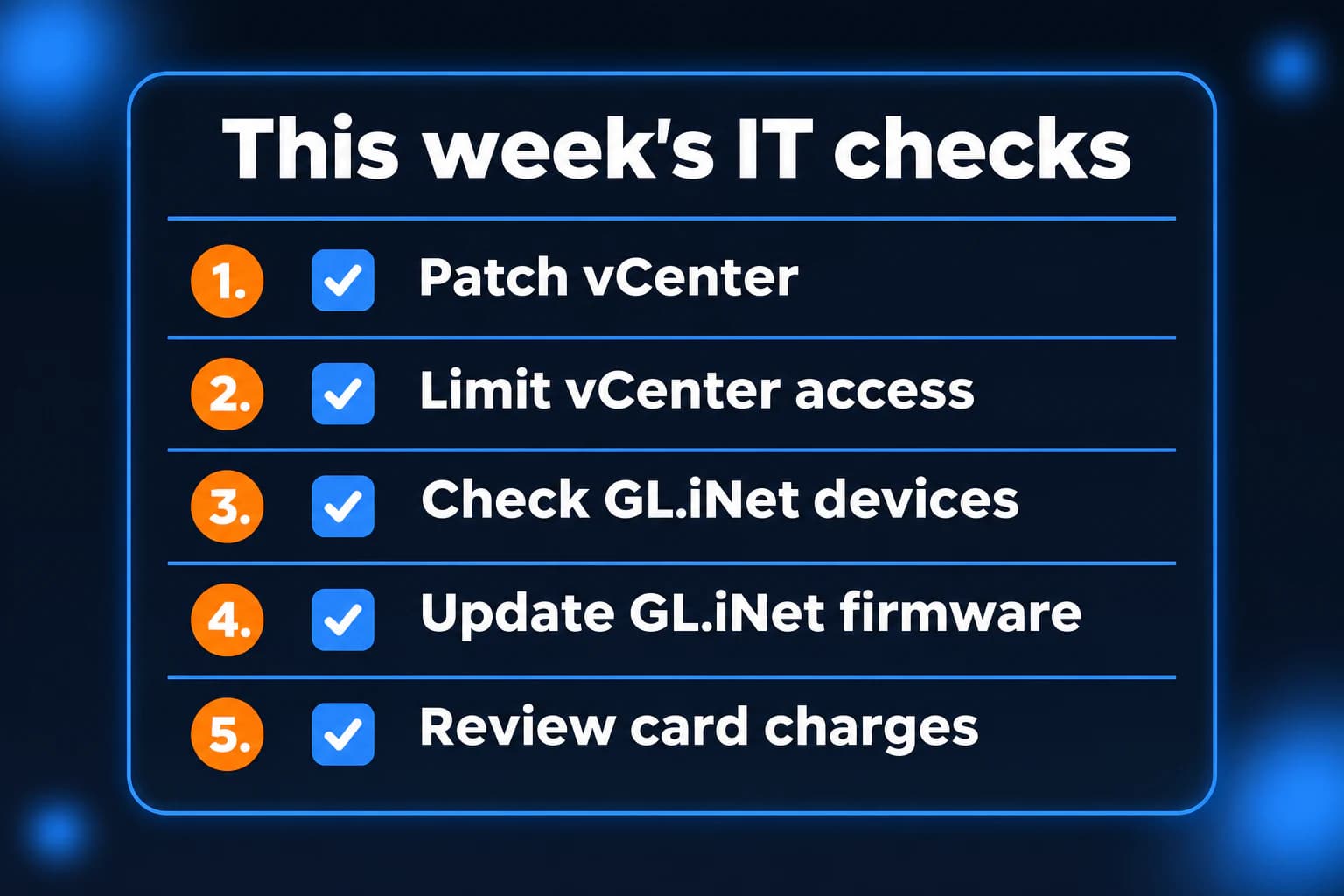
- Patch vCenter: install 8.0 U3m or the fixed build for your branch, then check the SSO user list for admin accounts nobody created.
- Limit vCenter access: make sure only a management network or admin machines can reach it, and confirm the BeyondTrust Remote Support fix is in if you use that product.
- Check GL.iNet devices: look for
crond -i /tmp/.logon every GL.iNet router and KVM the business uses, including travel routers. - Update GL.iNet firmware: install the stable security firmware for each exact model, and turn off cloud remote management where you do not need it.
- Review card charges: find software purchases made through Cleverbridge and review those card statements for anything you do not recognize.
If you need someone who can handle these checks for you, reach out to us. We would be happy to help.
Sources
- Broadcom VMSA-2026-0009 security advisory
- Broadcom VMSA-2026-0009 Questions & Answers
- NVD entry for CVE-2026-123890
- CISA Known Exploited Vulnerabilities catalog, CVE-2026-123890
- Google Threat Intelligence Group and Mandiant, ARMORY CASTLE Exploits vSphere
- GL.iNet Security Notice 2026-11-20
- Cleverbridge Incident Update & FAQs
- BleepingComputer, reporting on a Cleverbridge customer notice

Powerful IT Systems · Sussex, WI
Hands-on IT experience serving Milwaukee-area businesses.