
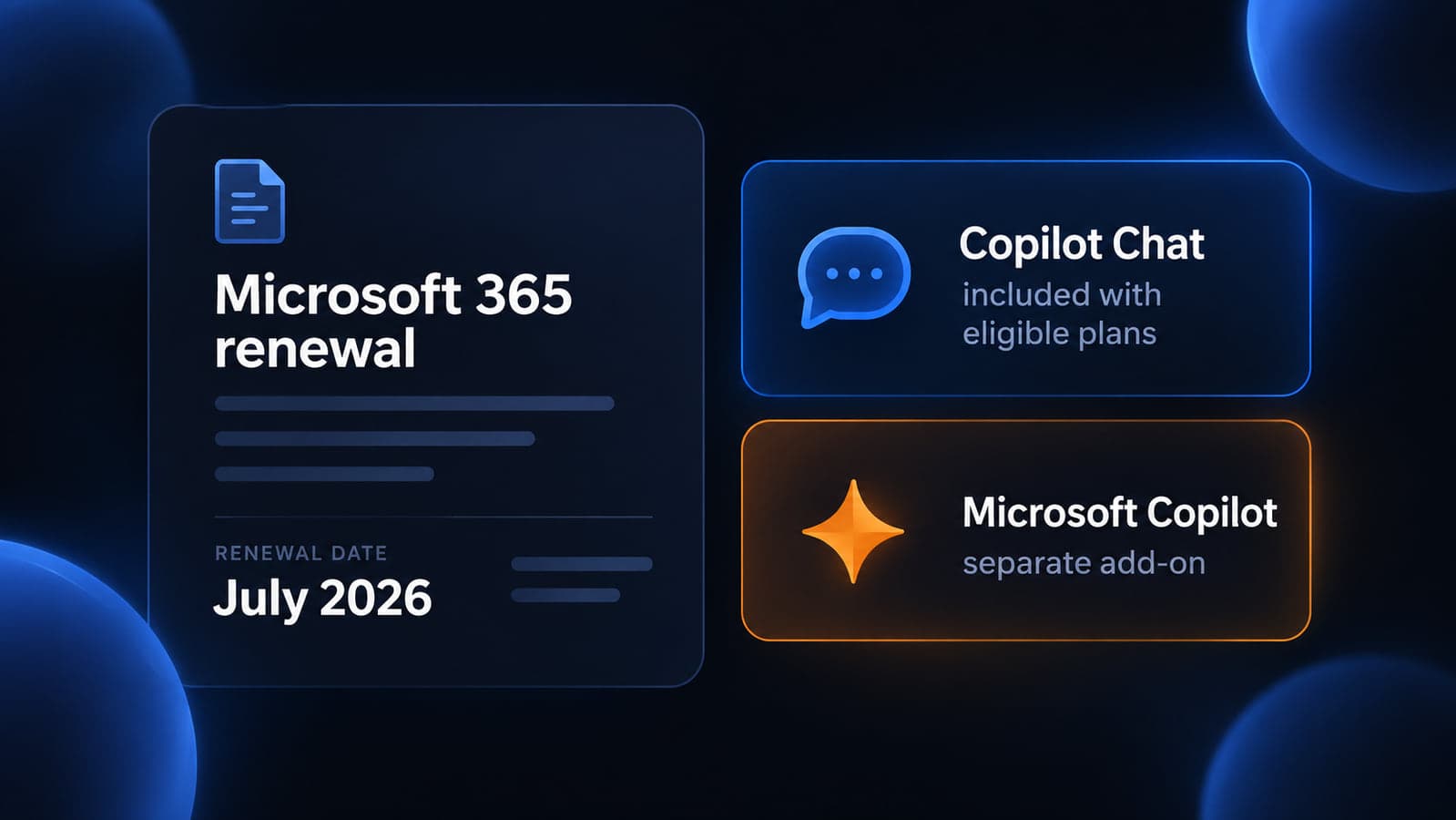
If your Microsoft 365 renewal is coming up, the invoice may not match last year’s line items. Microsoft published a commercial price and packaging update that took effect July 1, 2026. Existing customers stay on current pricing until that next renewal. The suites also picked up extra mailbox storage, Copilot Chat improvements, and, on some plans, extra email-link protection.
This is a planning article, not a sales pitch for a specific SKU. The dollar figures below are Microsoft’s published USD list prices as of that update. They can vary by country, currency, and agreement. Your partner quote or Microsoft 365 admin center is the source of truth for your tenant.
What actually changed
Two things moved at once.
Pricing. New list prices apply to new purchases and to renewals on or after July 1, 2026. Monthly and annual billing are both in scope. Multi-year agreements keep current pricing until they renew. Consumer and education pricing were not part of this update. Standalone Microsoft Teams SKUs and standalone Copilot SKUs were also left out.
Packaging. New capabilities started rolling out in June 2026. Microsoft said customers get at least 30 days’ notice in Message Center before the change appears in the tenant. The listed Intune and Defender entitlements were scheduled to finish rolling out by August 1, 2026. Qualifying SKUs receive the new features as they roll out, regardless of the price currently being paid.
For a typical Milwaukee professional-services office on Business Basic, Standard, or Premium, the practical questions are:
- What will this cost at the next renewal?
- What is now included that you used to treat as an add-on or ignore?
- What is still a separate purchase, especially paid Copilot?
Business plans: the ones most local offices actually buy
Microsoft 365 Business plans are capped at 300 users. That still covers most 20-to-70 computer firms in Milwaukee, Waukesha, and Brookfield.
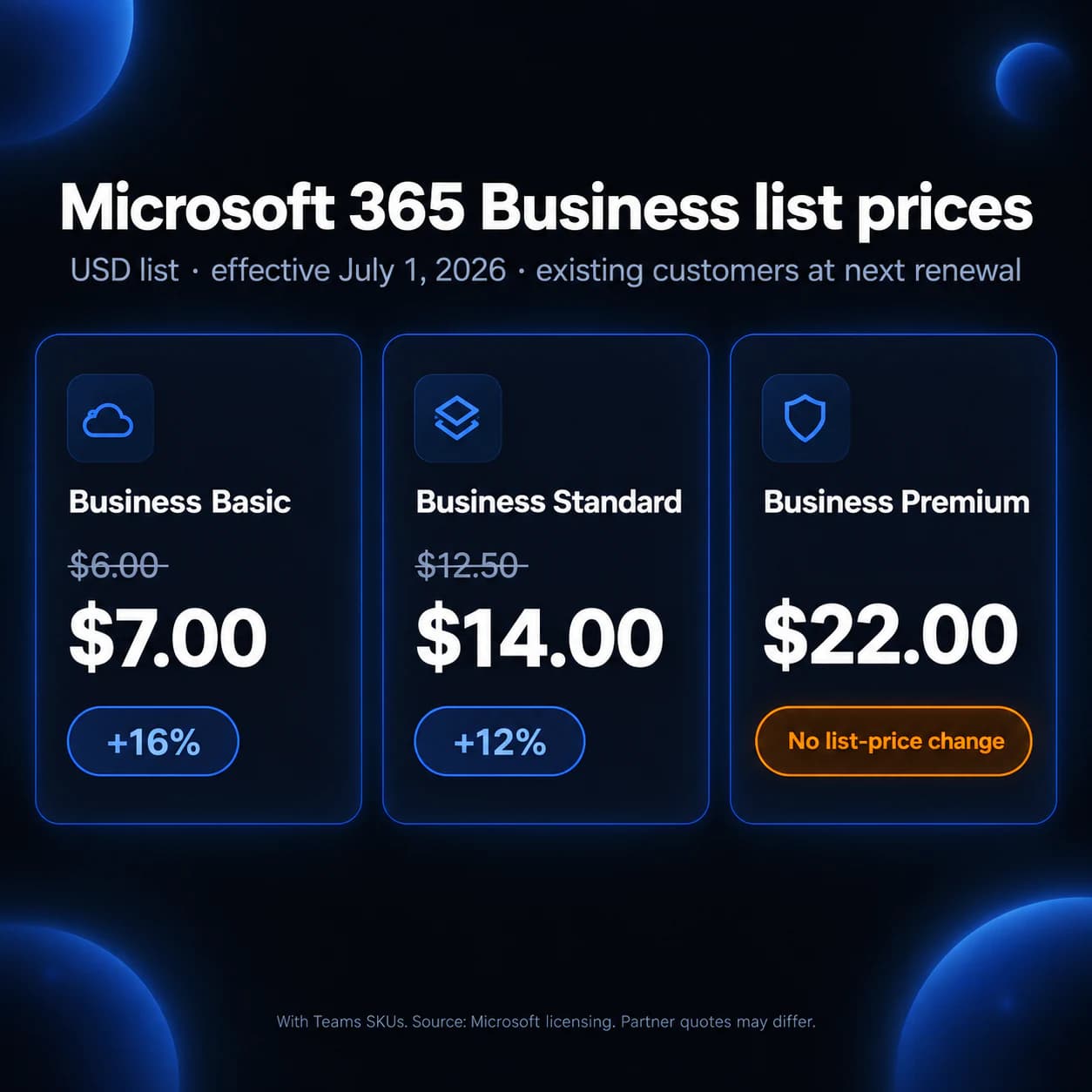
List prices with Teams (USD, effective July 1, 2026)
| SKU | Change | Old list | New list |
|---|---|---|---|
| Microsoft 365 Business Basic | 16% | $6.00 | $7.00 |
| Microsoft 365 Business Standard | 12% | $12.50 | $14.00 |
| Microsoft 365 Business Premium | none listed | $22.00 | $22.00 |
List prices without Teams (USD)
| SKU | Change | Old list | New list |
|---|---|---|---|
| Microsoft 365 Business Basic (no Teams) | 23% | $4.40 | $5.40 |
| Microsoft 365 Business Standard (no Teams) | 16% | $9.29 | $10.79 |
| Microsoft 365 Business Premium (no Teams) | none listed | $18.79 | $18.79 |
Business Premium’s published list price did not move. Basic and Standard did.
What Microsoft added to Business suites
Microsoft’s packaging table for summer 2026 lists:
| Plan | Added capabilities |
|---|---|
| Business Basic | +50 GB email, URL time-of-click protection, Copilot Chat enhancements, Copilot Chat Analytics |
| Business Standard | +50 GB email, URL time-of-click protection, Copilot Chat enhancements, Copilot Chat Analytics |
| Business Premium | +50 GB email, Copilot Chat enhancements, Copilot Chat Analytics |
The Copilot Chat footnote on Microsoft’s licensing page is specific: enhancements include inbox and calendar awareness and access to Word, Excel, and PowerPoint agents.
URL time-of-click protection is listed for Basic and Standard, not for Premium on that table. Do not assume Premium got the same Defender add. Report what your Message Center and admin center actually show.
Copilot Chat is included. Paid Copilot is not.
This is the mix-up showing up in offices right now.
Copilot Chat is an AI chat experience included with eligible Microsoft 365 subscriptions, including Business Basic, Standard, and Premium. Microsoft documents it as available at no extra cost for those licenses. Web-based chat uses internet results. Admins can pin or unpin it in Microsoft 365 apps, allow or block web search, and use the Copilot Control System. If you do not configure the web-search policy, web search is on by default in commercial tenants.
Microsoft Copilot (the add-on, including Copilot Business) is a separate paid license. That add-on is what grounds chat in work data such as mail, files, and meetings, and what Microsoft describes as the full in-app Copilot experience in Word, Excel, PowerPoint, Outlook, and Teams. Copilot Business is sold for Microsoft 365 business-plan tenants and supports up to 300 seats. Microsoft’s licensing pages say standalone Copilot SKUs were not part of the July 2026 price update.
If staff started seeing Copilot in Outlook or Teams after the packaging rollout, that does not mean you bought Graph-grounded Copilot for the whole firm. Check which users have a Copilot add-on versus Copilot Chat only.
That is a different problem from SharePoint oversharing. If Copilot can see work files, start with permissions, not the SKU name. See Microsoft 365 Copilot Security Starts with SharePoint Permissions. For staff using consumer ChatGPT on the side, see ChatGPT at Work: What Small Businesses Need to Know.
Enterprise, Frontline, and standalone list prices
Some Milwaukee firms sit on Enterprise or Frontline SKUs, or they buy Windows, Entra, or EMS à la carte. Microsoft published those list prices too.
Enterprise suites with Teams
| SKU | Change | Old list | New list |
|---|---|---|---|
| Office 365 E1 | none listed | $10.00 | $10.00 |
| Office 365 E3 | 13% | $23.00 | $26.00 |
| Office 365 E5 | 8% | $38.00 | $41.00 |
| Microsoft 365 E3 | 8% | $36.00 | $39.00 |
| Microsoft 365 E5 | 5% | $57.00 | $60.00 |
Enterprise suites without Teams
| SKU | Change | Old list | New list |
|---|---|---|---|
| Office 365 E1 (no Teams) | none listed | $6.79 | $6.79 |
| Office 365 E3 (no Teams) | 21% | $14.45 | $17.45 |
| Office 365 E5 (no Teams) | 10% | $29.45 | $32.45 |
| Microsoft 365 E3 (no Teams) | 11% | $27.45 | $30.45 |
| Microsoft 365 E5 (no Teams) | 6% | $48.45 | $51.45 |
Frontline with Teams
| SKU | Change | Old list | New list |
|---|---|---|---|
| Microsoft 365 F1 | 33% | $2.25 | $3.00 |
| Microsoft 365 F3 | 25% | $8.00 | $10.00 |
Frontline without Teams
| SKU | Change | Old list | New list |
|---|---|---|---|
| Microsoft 365 F1 (no Teams) | 43% | $1.75 | $2.50 |
| Microsoft 365 F3 (no Teams) | 29% | $6.93 | $8.93 |
Standalone components
| SKU | Change | Old list | New list |
|---|---|---|---|
| Purview Suite | none listed | $12.00 | $12.00 |
| Defender Suite | none listed | $12.00 | $12.00 |
| Windows E3 | 15% | $6.63 | $7.63 |
| Windows E5 | 9% | $11.81 | $12.81 |
| Apps for Business | 21% | $8.25 | $10.00 |
| Microsoft 365 Apps | 17% | $12.00 | $14.00 |
| Microsoft 365 Apps (per device) | 17% | $36.00 | $42.00 |
| Enterprise Mobility + Security E3 | 13% | $10.60 | $12.00 |
| Enterprise Mobility + Security E5 | 10% | $16.40 | $18.00 |
| Entra Plan 1 | 16% | $6.00 | $7.00 |
| Entra Plan 2 | 11% | $9.00 | $10.00 |
| Windows Enterprise (per device) | 31% | $5.85 | $7.63 |
Microsoft’s FAQ says Microsoft 365 E7 list pricing is not changing in this update, but the packaging changes added to E5 also apply to E7.
Enterprise and Frontline packaging
| SKU | Feature additions listed for summer 2026 |
|---|---|
| Office 365 E1 | URL time-of-click protection, Copilot Chat enhancements, Copilot Chat Analytics |
| Office 365 E3 | Microsoft Defender for Office Plan 1, Copilot Chat enhancements, Copilot Chat Analytics |
| Office 365 E5 | Copilot Chat enhancements, Copilot Chat Analytics |
| Microsoft 365 E3 | Defender for Office Plan 1, Intune Remote Help, Intune Advanced Analytics, Intune Plan 2, Copilot Chat enhancements, Copilot Chat Analytics |
| Microsoft 365 E5 | Everything listed for E3, plus Microsoft Security Copilot, Intune Endpoint Privilege Management, Microsoft Cloud PKI, Intune Enterprise Application Management |
| Microsoft 365 F1 and F3 | Copilot Chat enhancements, Copilot Chat Analytics |
| EMS E3 | Intune Remote Help, Intune Advanced Analytics, Intune Plan 2 |
| EMS E5 | The EMS E3 Intune additions |
| Windows E3 | Quick Machine Recovery for commercial, post-quantum security APIs |
| Windows Enterprise (per device) | Basic resiliency features, Software Assurance |
Defender for Office Plan 1 on E3 is email and collaboration threat protection Microsoft is folding into that suite. It is not a substitute for the 5-minute Microsoft 365 security checklist (MFA, admin hygiene, legacy auth). Intune Remote Help and Plan 2 matter if you actually enroll devices. If nobody is managing endpoints, the SKU change does not manage them for you.
Nonprofit and government
Nonprofit list prices move with commercial rates through Microsoft’s stated 60–75% discount on the impacted products.
Nonprofit suites with Teams (USD)
| SKU | Change | Old list | New list |
|---|---|---|---|
| Office 365 E1 | none listed | $2.50 | $2.50 |
| Office 365 E3 | 13% | $5.75 | $6.50 |
| Office 365 E5 | 8% | $15.20 | $16.40 |
| Microsoft 365 E3 | 8% | $9.00 | $9.75 |
| Microsoft 365 E5 | 5% | $22.80 | $24.00 |
| Microsoft 365 F1 | 33% | $0.56 | $0.75 |
| Microsoft 365 F3 | 25% | $2.00 | $2.50 |
| Microsoft 365 Business Basic | n/a | Free | Free |
| Microsoft 365 Business Standard | 17% | $3.00 | $3.50 |
| Microsoft 365 Business Premium | none listed | $5.50 | $5.50 |
Nonprofit standalones (USD)
| SKU | Change | Old list | New list |
|---|---|---|---|
| Purview Suite | none listed | $4.80 | $4.80 |
| Defender Suite | none listed | $4.80 | $4.80 |
| Windows E3 | 15% | $1.65 | $1.90 |
| Windows E5 | 9% | $4.40 | $5.12 |
| Microsoft 365 Apps | 17% | $3.00 | $3.50 |
| Microsoft 365 Apps (per device) | 17% | $9.00 | $10.50 |
| EMS E3 | 13% | $2.65 | $3.00 |
| EMS E5 | 10% | $6.56 | $7.20 |
| Entra Plan 1 | 16% | $1.50 | $1.75 |
| Entra Plan 2 | 11% | $3.60 | $4.00 |
| Windows Enterprise (per device) | 31% | $1.46 | $1.91 |
Government commercial-equivalent suites follow the same percentage increases Microsoft published for G3/G5, Office G SKUs, Frontline, and Business Premium GCC High. Microsoft says government feature rollouts follow compliance validation and are not identical to commercial timing. Increases over 10% for some government suites are described as phased over multiple years. If you are on GCC, GCC High, or DoD, use the government section of Microsoft’s licensing page and your agreement, not the commercial dollar table.
What a 20-to-70 computer office should do before renewal
- Inventory the SKUs you are actually paying for. Export licenses from the Microsoft 365 admin center. Count Business vs Enterprise vs Frontline, with-Teams vs no-Teams, and any add-ons (Copilot, extra Defender, extra Intune, extra storage). Shadow Microsoft 365 Apps or leftover E3 seats can show up here. That is the same class of leak described in The Hidden IT Costs Eating Into Your Profit Margins.
- Read Message Center, not a blog table. Packaging is tenant-timed. Confirm Copilot Chat, mailbox quota, and any Defender or Intune entitlements against the messages Microsoft sent you.
- Decide Copilot Chat policy on purpose. Who can use it, whether web search is allowed, whether it is pinned, and whether work files are in scope if you later buy the add-on. Unmanaged Copilot Chat is still an AI tool sitting in Outlook and Teams.
- Recalculate the renewal, then decide whether the SKU still fits. A 25-user Business Standard tenant at the new $14 list is $350 per month before tax and discounts, versus $312.50 at the old list. Business Premium staying at $22 does not mean the bill is unchanged if you also have Apps, extra Defender, or Copilot add-ons. Put the number in the quarterly IT budget, not in a surprise pile in June.
- Do not upgrade mid-term just to chase packaging. Microsoft notes that some mid-term upgrades to three-year E3 or E5 SKUs pull the subscription start date forward. Confirm that with your partner before you click.
Scanners and line-of-business apps that still send mail with a username and password are a separate Microsoft 365 change. If copiers broke after a license shuffle, start with Microsoft 365 SMTP Changes: Will Your Scanners and Apps Still Send Email?.
How Manage IT can help
If you want a second set of eyes on the license export and the renewal quote, we can map what you pay for against what staff actually use, including Copilot Chat versus a Copilot add-on. That is ordinary Microsoft 365 administration, not a new product name. See also our Microsoft 365 management services.
Final thoughts
The 2026 update is a renewal math problem plus a packaging problem. Business Premium’s list price held still. Basic and Standard did not. Copilot Chat showing up in the tenant is not the same as buying Copilot. Pull the license report, read Message Center, and price the next term before the invoice explains it for you.

Powerful IT Systems · Sussex, WI
Hands-on IT experience serving Milwaukee-area businesses.